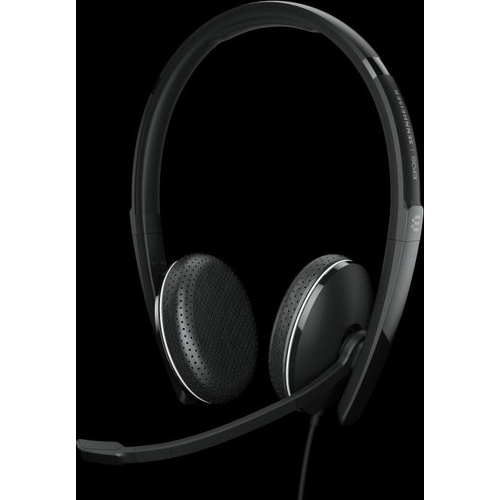
EPOS ADAPT 165T USB-C II Stereo Headset - Black
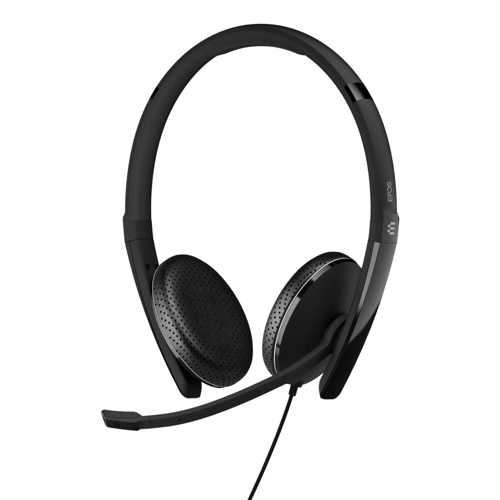
Wired, double-sided headset with 3.5 mm jack USB connectivity, Microsoft Teams certified and optim...

Best current price£41.00from eBay

Colour

All Offers

19 offers from £41.00 - £97.35

View price history by clicking the chart icon.

eBayEPOS SENNHEISER ADAPT 165T USB-C II Wired Binaural Headset Noise Cancelling
Free delivery in 1–3 days
£41.00
Visit shop
OnBuy.comEpos Adapt 165T Usb C Ii Adapt 165T Usb C Ii
Free delivery in 1–3 days
£47.00
Visit shop
PCHUB.UKEpos Adapt 165T Usb-C Ii
Free delivery in 1–3 days
£53.14
Visit shop
GamingKitEpos Adapt 165T Usb-C Ii
Free delivery in 1–3 days
£63.77
Visit shop
Refresh CartridgesEPOS Adapt 165 II Wired USB C Stereo Headset 2.3m Cable Black (1000920)
Free delivery in 1–3 days
£64.06
Visit shop

Used Offer

1 offer from £62.50

View price history by clicking the chart icon.

eBayEPOS SENNHEISER ADAPT 165 USB-C ADAPT 100 Series 3.5 mm jack USB C Black 1000920
Free delivery in 1–3 days
£62.50
Visit shop

Product Information

Full details

The EPOS ADAPT 165T USB-C II Stereo Headset in Black is designed for professionals in hybrid work environments seeking a stylish, comfortable, and versatile audio solution. Its key benefit is seamless audio for calls and concentration, adapting easily between devices. A potential caveat is its wired nature, which might limit mobility for some users. This headset offers superior stereo sound, noise-damping earpads, and a discreet boom arm, optimizing it for unified communications and Microsoft Teams.

All features

ColourBlack
SeriesADAPT 100
Model Part Number1000906
BrandEPOS

Extended Product Information

FAQs

Is this headset compatible with my smartphone?

Yes, if your smartphone has a USB-C port. The headset uses a detachable cable with a USB-C connector for easy plug-and-play connectivity with compatible devices.

Does the headset have active noise cancellation (ANC)?

The ADAPT 100 series, including this model, primarily features passive noise cancellation through its noise-damping earpads. It does not have active noise cancellation technology.

How do I clean the earpads?

Wipe the acoustic leatherette earpads with a soft, slightly damp cloth. Avoid using harsh cleaning agents. Ensure they are dry before use.

Can I detach the cable from the headset?

Yes, the cable is detachable, allowing for easier storage and replacement if needed. It connects securely to the headset.

What is the benefit of the boom arm folding into the headband?

Folding the boom arm makes the headset more discreet and compact when not in use, ideal for travel or when you want a less 'headset-like' appearance. It also protects the microphone.

Is this headset certified for Microsoft Teams?

Yes, this model is certified for Microsoft Teams, ensuring seamless integration and optimal performance within the Teams application.

What comes in the box?

The box typically includes the headset with mounted earpads, a detachable cable with call control (USB-A/USB-C), a carry pouch, a quick guide, a safety guide, and a compliance sheet.

Troubleshooting

No sound from the headset

Ensure the USB-C cable is securely connected to both the headset and the device. Check that the EPOS ADAPT 165T USB-C II is selected as the default audio output/input device in your computer's sound settings. Test with a different USB-C port or device.

Microphone not working or picks up too much background noise

Verify the headset is selected as the default microphone in your device's sound settings. Ensure the boom arm is positioned correctly near your mouth. Some software applications have their own microphone settings; check those as well. Use the EPOS Connect software for advanced microphone settings if available.

Intermittent audio or connection drops

Check the USB-C cable for any signs of damage and ensure it's fully inserted. Try a different USB-C port. Update your device's audio drivers or operating system. Close unnecessary background applications that might be consuming system resources.

Headset not recognized by the computer

Try plugging the headset into a different USB-C port. Restart your computer. If using a USB hub, try connecting the headset directly to the computer. Check the manufacturer's website for any specific drivers or software that may be required.

Pros and Cons

Pros

  • Comfortable for all-day wear due to soft earpads.
  • Excellent audio quality for both calls and general listening.
  • Seamless integration with Microsoft Teams.
  • Flexible USB-C connectivity for modern devices.
  • Effective noise damping for focused work.
  • Portable and easy to store with a foldable design.

Cons

  • Wired connection limits freedom of movement compared to wireless options.
  • Passive noise cancellation may not be sufficient in extremely noisy environments.
  • Bundled accessories are basic (carry pouch, not a hard case).
  • Boom microphone requires manual adjustment for optimal positioning.
  • Only one color option available in this specific model variant.

Setup, Compatibility & Care

Setup:

  1. Connect the detachable USB-C cable to the headset.
  2. Plug the USB-C connector into an available USB-C port on your computer, tablet, or smartphone.
  3. Your device should automatically recognize the headset. If prompted, select the EPOS ADAPT 165T USB-C II as the default audio device.

Compatibility:

  • Operating Systems: Windows, macOS, and other common operating systems supporting USB audio devices.
  • Devices: Laptops, desktops, smartphones, and tablets with USB-C ports. The detachable cable may also include a 3.5mm jack option for wider compatibility (check specific cable included).
  • Unified Communications Platforms: Optimized for Microsoft Teams and other UC platforms like Skype for Business, Zoom, etc.

Care Instructions:

  • Cleaning: Wipe the exterior of the headset and earpads with a soft, slightly damp cloth. Avoid harsh chemicals or abrasive materials. Do not immerse in water.
  • Storage: Store the headset in the provided carry pouch when not in use to protect it from dust and scratches. Fold the headset flat for compact storage.
  • Cable Management: Avoid tightly wrapping the cable. Store it loosely to prevent damage to the internal wires.

Price History

DatePrice
Visit shop