
Lenovo ThinkPad P16s Gen 4 - 16" - Intel Core i7 - 32 GB - 1 TB SSD - Windows - Wi-Fi 7 - Black
Not Available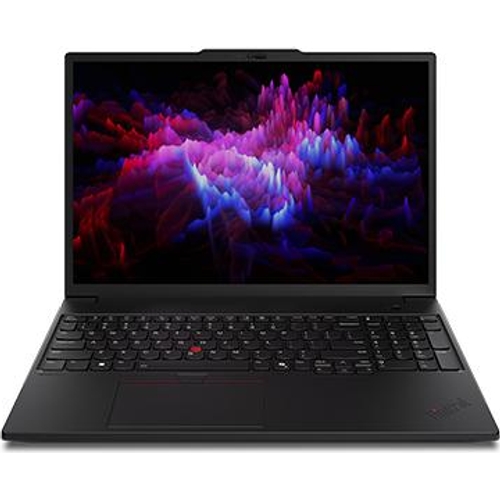
Currently unavailable
Currently unavailable
The Lenovo ThinkPad P16s Gen 4 is a high-performance workstation engineered for professionals who demand reliability and speed for intensive multitasking and heavy computing tasks. Featuring a powerful Intel Core i7 processor, 32 GB of memory, and a spacious 1 TB SSD, this machine excels in demanding office or creative environments, though its 16-inch form factor prioritizes screen real estate over ultra-portability.
| Colour | Black |
|---|---|
| Resolution | Full HD+ |
| RAM | 32 GB |
| Processor Family | Intel Core i7 |
| WiFi Standard | Wi-Fi 7 |
| Internal Storage Capacity | 1 TB |
| Screen Size | 16 |
| Display Type | Full HD |
| OS | Windows |
| Processor | Intel Core |
| Series | ThinkPad P16s Gen 4 |
| Model Part Number | 21QV000GSP |
| Brand | Lenovo |
The ThinkPad P16s Gen 4 internal memory configuration is typically fixed; please verify specific model configurations if you require further expansion.
Yes, the Intel Core i7 processor and 32 GB of memory are well-suited for Full HD video editing and general creative workflows.
Wi-Fi 7 provides significantly faster data transfer speeds, lower latency, and better reliability in areas with many connected devices compared to older Wi-Fi standards.
While the display is bright and crisp, like most laptops, it performs best in indoor environments; use it away from direct sunlight for the best visibility.
Yes, all models in this series come with the Windows operating system pre-installed and ready for professional use.
Check the Task Manager to identify processes consuming high resources and ensure the device is running on the 'Best Performance' power mode.
Update the Wi-Fi drivers via the Lenovo Vantage software and ensure your router supports Wi-Fi 7 for optimal performance.
Lower screen brightness, close unnecessary background apps, and verify battery health settings in the Lenovo Vantage dashboard.
Setting up your ThinkPad is straightforward; once initial Windows updates are completed, ensure you register the device via the Lenovo Vantage app for support and driver management. The laptop uses a standard Windows operating environment, ensuring high compatibility with all major business and creative software suites. For physical care, keep the ventilation areas free of dust to maintain cooling efficiency, and use a soft, lint-free cloth to clean the screen. Because the device uses a high-capacity battery, avoid leaving it plugged into AC power at 100% for weeks at a time; utilizing the 'Conservation Mode' in the Lenovo settings can help preserve long-term battery health.