
Samsung Galaxy Tab A9+ - 11 inch - 128 GB - Wi-Fi + Cellular - 5G - Grey
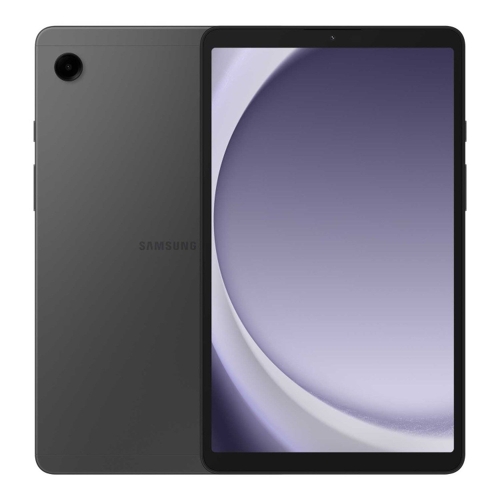


Best current price£379.00from OnBuy.com
Best offers
Shopping.co.uk recommended and popular offers
 OnBuy.com£379.00Visit shop
 Samsung Galaxy Tab A9+ Gray Lte 128Gb
Visit shopBest current price£379.00from OnBuy.com
Shopping.co.uk recommended and popular offers
OnBuy.com£379.00Visit shop Samsung Galaxy Tab A9+ Gray Lte 128Gb
Visit shop2 offers from £379.00
View price history by clicking the chart icon.
The Samsung Galaxy Tab A9+ is designed for users seeking a versatile Android tablet for entertainment, productivity, and staying connected on the go. With its vibrant 11-inch 90Hz display, powerful Snapdragon processor, 8GB RAM, and 5G connectivity, it offers smooth performance for multitasking and media consumption. While its 128GB internal storage is generous, heavy users may still consider expanding it with a microSD card.
| Colour | Grey |
|---|---|
| RAM | 8 GB |
| Processor Family | Snapdragon 6 |
| WiFi Standard | Wi-Fi 5 |
| Internal Storage Capacity | 128 GB |
| Network Generation | 5G |
| Operating System | Android |
| OS | Android |
| Processor | Snapdragon |
| Device Network Connectivity | Wi-Fi + Cellular |
| Display Size | 11 |
| Series | Galaxy Tab A9+ |
| Model Part Number | SM-X216BZAEEUB |
| Brand | Samsung |
| Mobile Device Battery Capacity | 7040 mAh |
The Samsung Galaxy Tab A9+ does not officially support the S Pen or other proprietary Samsung styluses. However, universal capacitive styluses may work for basic navigation, though without pressure sensitivity or advanced features.
Yes, the Samsung Galaxy Tab A9+ comes with 128GB of internal storage and supports microSD cards, allowing you to expand storage by up to an additional 1 TB.
The tablet uses a USB-C charging port. A compatible USB-C cable and wall adapter are typically included, but fast charging speeds may require a higher wattage adapter (sold separately).
The 11-inch display is vibrant and has a good refresh rate. While it performs well indoors, direct sunlight can still cause reflections and make it harder to read, typical for most LCD screens.
To use multi-window, open an app, then swipe up from the bottom of the screen and hold to access recent apps. Tap the app icon at the top of the app's card, then select 'Open in split screen view' or 'Open in pop-up view'. You can then select a second (or third) app for split screen.
Yes, you can connect external speakers or headphones via Bluetooth. The tablet also supports wired headphones and audio devices through its USB-C port using a compatible adapter if a 3.5mm jack is not present (Info needed: confirm 3.5mm jack presence).
Ensure the tablet is charged; connect it to the charger for at least 15-20 minutes. If still unresponsive, perform a force restart by holding the power button and volume down button simultaneously for about 7-10 seconds.
For Wi-Fi, try restarting your router and the tablet. Ensure you're within range. For 5G, check your cellular data settings, ensure your SIM card is properly inserted, and verify network coverage in your area. Toggle airplane mode on and off.
Clear the cache for the problematic app (Settings > Apps > [App Name] > Storage > Clear cache). If issues persist, try restarting the tablet. Ensure you have sufficient free RAM (8GB is generally plenty, but closing background apps helps) and storage space.
Adjust screen brightness, disable unused features like GPS, Bluetooth, or 5G when not needed. Check battery usage in Settings to identify power-hungry apps and limit their background activity. The 90Hz refresh rate also consumes more power.