
Ricoh ScanSnap iX2400 ADF Scanner - PA03870-B101
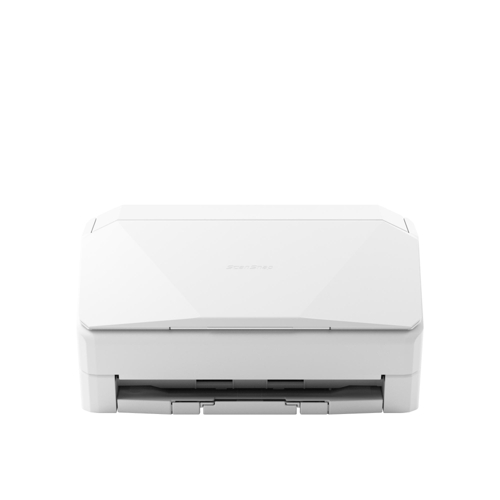
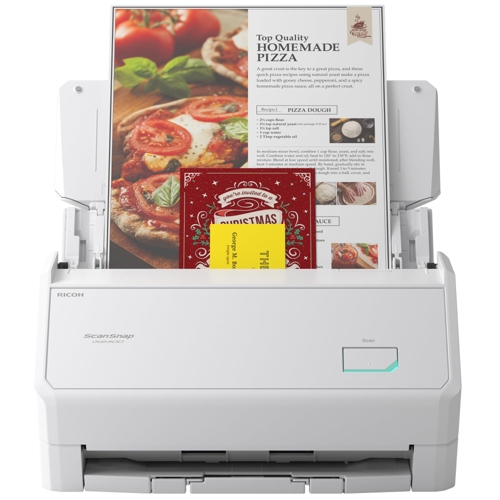
Best current price£277.02from PCHUB.UK
Best offers
Shopping.co.uk recommended and popular offers
 PCHUB.UK£277.02Visit shop
 Ricoh White Scansnap Ix2400 Adf Scanner 600 X 600 Dpi A4
Visit shopBest current price£277.02from PCHUB.UK
Shopping.co.uk recommended and popular offers
PCHUB.UK£277.02Visit shop Ricoh White Scansnap Ix2400 Adf Scanner 600 X 600 Dpi A4
Visit shop15 offers from £277.02 - £393.87
View price history by clicking the chart icon.


2 offers from £300.00 - £320.00
View price history by clicking the chart icon.
The Ricoh ScanSnap iX2400 is designed for home offices and small business professionals who require a fast, reliable method to digitize paper documents without technical complexity. Its key benefit is the high-speed, one-touch operation that integrates directly into your existing workflow; however, users should note that this model is a dedicated scanner and does not include a built-in display screen, requiring a connected computer for full operation.
| Series | ScanSnap |
|---|---|
| Model Part Number | PA03870-B101 |
| Brand | Ricoh |
Yes, the scanner features duplex scanning capabilities using dual CIS sensors.
The maximum scan size is 216 x 316 mm, accommodating A4 and Legal sized documents.
No, it connects directly to your computer via USB 2.0 or 3.2 Gen 1.
Yes, the scanner supports various media types, including business cards and postcards.
Yes, it is ENERGY STAR certified and features a low 1W power consumption in sleep mode.
No, it requires a constant AC power supply to function.
Ensure the USB cable is securely connected and the software driver is running on your host computer.
Check that the document stack is properly aligned in the feeder and that the paper meets the 40-209 g/m² weight specification.
Gently clean the interior glass scanning window using a dry, soft cloth to remove dust or adhesive residue.
Setup involves connecting the device via the provided USB cable to a computer and installing the necessary driver software to enable the Quick Menu. The scanner is compatible with standard AC power (100-240V). To ensure long-term performance, keep the scanner in an environment between 5-35 °C and 20-80% humidity. Regularly clear the document path and use a soft, lint-free cloth to keep the glass scanning surface free of dust and paper debris.
 HP ENVY 6132e All-in-One Color Printer - ENVY - BeigeFrom £61
 HP Envy 6530e - WhiteFrom £110
 HTVRONT C2 Cutting Machine - Daisy WhiteFrom £179
 Canon PIXMA TS4151i - WhiteFrom £40
 Philips Daily Collection Toaster - HD2590/00 - WhiteFrom £46
 Daewoo 3-in-1 Snack Maker - BlackFrom £33
 AWOL Vision LTV Projector - LTV-3000 ProFrom £1459
 Ricoh ScanSnap iX2500 ADF Scanner - PA03860-B001From £348
 Breville Sandwich Toaster - White - VST091From £24
 HP Deskjet 2810e All-In-One Inkjet Printer - WhiteFrom £62
 Russell Hobbs 3 in 1 - BlackFrom £50
 Vcm Arila L Wall Cabinet - WhiteFrom £88