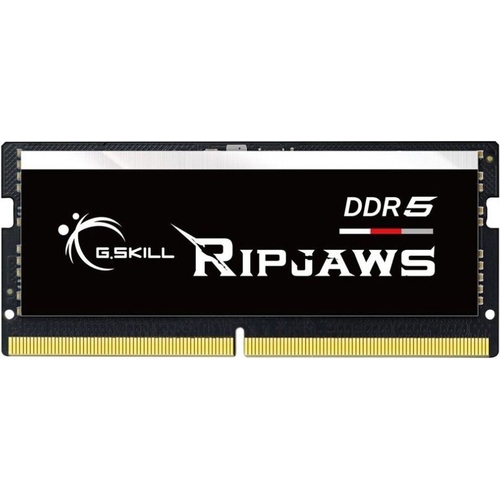
G.Skill Ripjaws DDR5 SO-DIMM memory kit is the ideal memory upgrade for laptops and small form fac...G.Skill Ripjaws DDR5 SO-DIMM memory kit is the ideal memory upgrade for laptops and small form factor PCs, providing faster data transfer speeds and higher energy efficiency than DDR4. Constructed with specially screened IC chips and rigorously tested, each kit is built for high performance and reliability. Designed to fully utilize faster frequencies and boost data transfer rates, this DDR5 memory offers enhanced performance with 16 GB capacity and a clock speed of 4800 MHz.
This G.Skill Ripjaws DDR5 SO-DIMM memory module is designed for laptop and small form factor PC users seeking a significant performance upgrade. It offers faster data transfer speeds and improved energy efficiency over DDR4, enhancing multitasking and application responsiveness. A potential caveat is ensuring your system's motherboard and CPU fully support DDR5 memory standards.
All features
Series
Ripjaws
Model Part Number
F5-4800S4039A16GX1-RS
Brand
G.Skill
Extended Product Information
FAQs
Is this memory module compatible with my laptop?
This is a DDR5 SO-DIMM module. You must check your laptop's specifications or manual to confirm it supports DDR5 SO-DIMM memory. It will not work in systems designed for DDR4 or older memory types.
What is the difference between DDR4 and DDR5 memory?
DDR5 offers significantly higher data transfer speeds, increased bandwidth, and improved power efficiency compared to DDR4. It also features architectural improvements like dual sub-channels per module for better performance.
Can I mix this module with my existing DDR4 RAM?
No, DDR5 and DDR4 memory are not interchangeable. You cannot mix them in the same system. If your system supports both, you would typically remove the DDR4 and install DDR5 modules.
What does 'CL40' mean?
CL stands for CAS Latency, which is a measure of the delay between the memory controller asking the memory to access a specific column and the data becoming available. CL40 is the number of clock cycles it takes.
Will installing this single module provide dual-channel performance?
The module itself is designed to work within a dual-channel architecture on the motherboard. However, to achieve true dual-channel performance, you typically need two identical memory modules installed in the correct slots.
What is the voltage for this DDR5 module?
This G.Skill Ripjaws DDR5 SO-DIMM operates at a standard voltage of 1.1 V, contributing to its energy efficiency.
Troubleshooting
System does not boot after installation
Ensure the memory module is fully seated in the slot and that your system is compatible with DDR5 memory. Try reseating the module. If the issue persists, test with a known good module.
System instability or random crashes
Verify that the memory module is correctly installed and that the system's BIOS/UEFI is updated to the latest version. Check for any potential overheating issues.
Memory not detected or showing incorrect size
Confirm system compatibility with the module's capacity and type. Ensure the module is fully seated. Check the system's BIOS/UEFI settings.
Pros and Cons
Pros
Significant performance boost for laptops and SFF PCs
Faster data transfer speeds due to DDR5 technology
Improved energy efficiency and lower voltage operation
Enhanced system stability with on-board PMIC
Designed for high-performance applications and multitasking
Cons
Requires a motherboard and CPU that support DDR5 memory
May not be compatible with older systems designed only for DDR4
Single module configuration means no dual-channel benefit without a second identical module (though the module itself supports dual-channel architecture on the motherboard)
Setup, Compatibility & Care
Setup:
Ensure your laptop or small form factor PC is powered off and unplugged from the wall.
Locate the memory slot(s) on your motherboard.
Carefully open the retention clips on the existing memory module, if any, and gently remove it.
Align the notch on the new G.Skill Ripjaws DDR5 SO-DIMM with the corresponding key in the memory slot.
Insert the module firmly and evenly until the retention clips snap into place.
Compatibility:
This module is a DDR5 SO-DIMM. It is only compatible with systems explicitly supporting DDR5 SO-DIMM memory. Please consult your device's manufacturer specifications or motherboard manual to confirm compatibility.
Check if your system supports the 4800 MHz clock speed and CL40 latency.
Care:
Handle the memory module by its edges to avoid touching the gold contacts.
Store the module in an anti-static bag when not installed.
Avoid exposing the module to moisture, extreme temperatures, or physical shock.

 OnBuy.com£520.46Visit shop