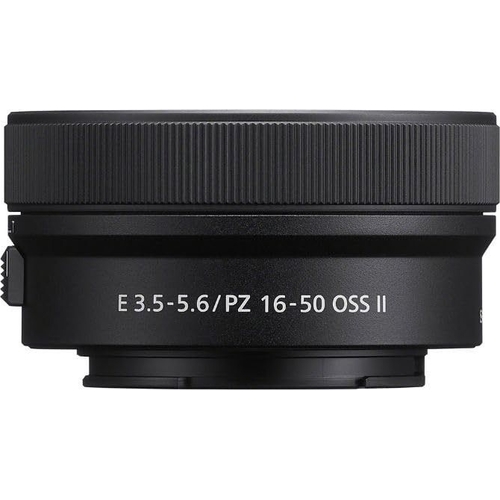
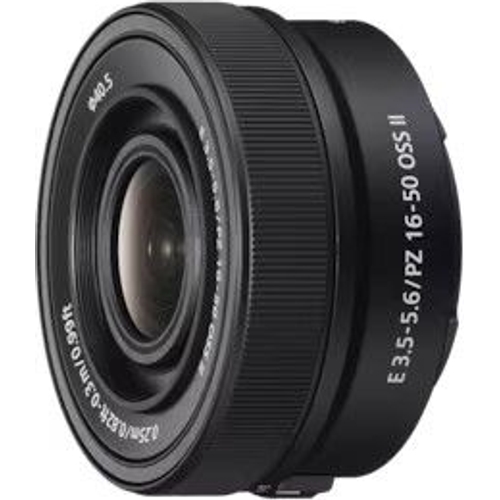
Sony E PZ 16-50mm F3.5-5.6 OSS II Lens - Sony

The upgraded second-generation APS-C format Sony E PZ 16-50mm II f/3.5-5.6 OSS Zoom Lens features ...

Best current price£132.53from OnBuy.com

All Offers

4 offers from £132.53 - £274.00

View price history by clicking the chart icon.

OnBuy.comSony Lens Sel E Pz 16-50Mm F/3.5-5.6 Oss Ii 4548736156722
Free delivery in 1–3 days
£132.53
Visit shop
eBaySony Pz 16-50Mm F3.5-5.6 Oss Ii Selp16502
£16.17 delivery
£260.91
Visit shop
SonySony E Pz 16-50Mm F3.5-5.6 Oss Ii Lens
Free delivery in 1–3 days
£274.00
Visit shop

Used Offer

1 offer from £159.00

View price history by clicking the chart icon.

eBaySony E 16-50mm II f3.5-5.6 OSS Power Zoom E-mount Lens - Black: White Box
Free delivery in 1–3 days
£159.00
Visit shop

Product Information

Full details

The Sony E PZ 16-50mm F3.5-5.6 OSS II lens is an excellent choice for photographers and videographers using Sony APS-C cameras, offering a versatile zoom range in a compact and lightweight package. Its key benefit is its combined image stabilization and smooth power zoom, making it ideal for both stills and video. However, its maximum aperture of f/3.5-5.6 may not be ideal for low-light situations. This guide provides comprehensive instructions on using the Sony E PZ 16-50mm II lens effectively.

All features

BrandSony

Extended Product Information

FAQs

What is the filter size for this lens?

The filter size for the Sony E PZ 16-50mm F3.5-5.6 OSS II lens is 40.5 mm.

Does this lens have image stabilization?

Yes, this lens has built-in Optical SteadyShot (OSS) image stabilization to help reduce blur.

What camera bodies is this lens compatible with?

This lens is compatible with Sony E-mount APS-C cameras.

Is this lens good for video recording?

Yes, the power zoom and image stabilization make this lens well-suited for video recording.

What is the minimum focusing distance?

The minimum focusing distance is 0.25 m (wide) and 0.30 m (tele).

How do I clean the lens?

Use a microfiber cloth to gently wipe the front and rear elements of the lens. Avoid using excessive pressure or harsh cleaning solutions.

Can I use this lens in low light?

Yes, but the maximum aperture of f/3.5-5.6 may limit performance in very low light. Use image stabilization, increase the ISO or use a tripod when possible.

What is the warranty period for this lens?

Warranty information is dependent on the retailer and region of purchase. Check the product documentation.

Troubleshooting

Lens not recognized by the camera.

Ensure the lens is properly attached to the camera body. Clean the lens contacts with a soft, dry cloth. Check the camera settings to ensure lens recognition is enabled.

Autofocus is not working.

Check that the AF/MF switch on the lens is set to AF. Ensure the subject has enough contrast for the autofocus system to lock onto. Clean the lens and camera contacts.

Images are blurry.

Ensure that image stabilization is enabled. Check your shutter speed; it should be fast enough to avoid motion blur. If shooting handheld, consider using a faster shutter speed or a tripod.

Zoom ring feels stiff.

The zoom ring may feel stiff if not used regularly. Try gently rotating the zoom ring back and forth. If the problem persists, contact a qualified repair service.

Pros and Cons

Pros

  • Compact and lightweight design for easy portability.
  • Versatile zoom range suitable for various shooting scenarios.
  • Smooth and quiet power zoom for video recording.
  • Effective image stabilization for sharper images and videos.
  • Fast and accurate autofocus performance.
  • Close focusing capabilities for detailed shots.

Cons

  • Maximum aperture of f/3.5-5.6 may limit performance in low-light conditions.
  • Plastic build may not feel as premium as some other lenses.
  • Not ideal for professional portrait photography due to aperture limitations.
  • Zoom range may not be sufficient for extreme telephoto shots.
  • Some users may prefer a wider maximum aperture for shallower depth of field.

Setup, Compatibility & Care

Setup:

  1. Attach the lens to your Sony E-mount camera body by aligning the red dots on the lens and camera body, then twisting to lock.
  2. Power on your camera and ensure the lens is recognized. If not, check the lens contact points and clean them with a soft, dry cloth.
  3. Set your camera to the desired shooting mode (e.g., Aperture Priority, Shutter Priority, Manual).
  4. Adjust your camera settings according to the scene and the desired effect.

Compatibility:

The lens is compatible with Sony E-mount APS-C cameras. Refer to your camera's manual for specific compatibility details.

Care:

  • Keep the lens clean by wiping the front and rear elements with a microfiber cloth.
  • Avoid touching the lens elements with your fingers.
  • Store the lens in a dry, dust-free environment.
  • Use a lens cap when the lens is not in use.
  • Avoid extreme temperatures and humidity.

Similar items

Price History

DatePrice
Visit shop