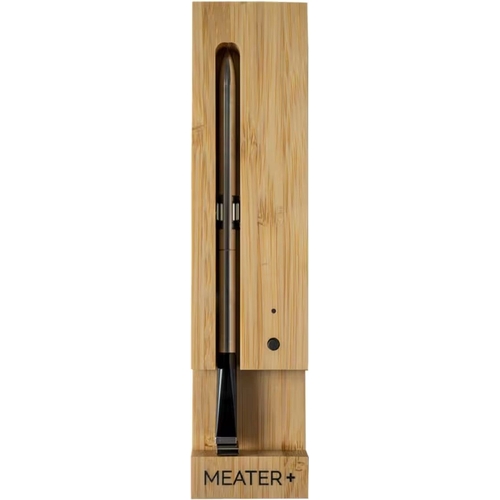
Meater Pro Xl Wifi Meat Thermometer - Yellow

The Meater Pro XL WiFi Meat Thermometer offers wireless precision cooking with dual sensors for ac...

Best current price£78.99from Currys

All Offers

4 offers from £78.99 - £329.00

View price history by clicking the chart icon.

CurrysMeater Plus Smart Meat Thermometer - Honey & Bamboo, Yellow
Free delivery in 1–3 days
£78.99
Visit shop
HomebaseMeater Pro Xl Wi-Fi Meat Thermometer
Free delivery in 1–3 days
£329.00
Visit shop
wilkoMeater Pro XL Wi-Fi Meat Thermometer - Silver - New
Free delivery in 1–3 days
£329.00
Visit shop

Product Information

Full details

The Meater Pro XL WiFi Meat Thermometer is designed for both novice and experienced cooks who want precise control over their grilling and smoking. The key benefit is wireless monitoring of meat and ambient temperatures, ensuring perfectly cooked results every time. However, it's important to note that the initial setup requires a stable WiFi connection. This guide will walk you through setting up and using the Meater Pro XL, highlighting its features and offering troubleshooting tips.

All features

ColourYellow
BrandMEATER

Extended Product Information

FAQs

How do I clean the Meater Pro XL?

The probe is dishwasher safe. You can also clean it by hand with warm, soapy water. Clean the charger with a damp cloth.

What is the wireless range of the Meater Pro XL?

The probe connects via Bluetooth with a range up to 10 meters and extends to 50 meters with the built-in Bluetooth repeater in the charger. You can extend the range further using MEATER Link WiFi and the MEATER Cloud.

Can I use the Meater Pro XL with different types of grills and smokers?

Yes, the Meater Pro XL can be used with any type of grill, smoker, oven, or even on a stovetop.

How do I know when my meat is done?

The MEATER app will send you notifications when your meat reaches the target temperature. You can also monitor the temperature progress in real-time within the app.

What if the probe gets stuck in the meat?

Carefully remove the meat and use tongs or pliers to gently pull the probe out. Be sure to handle it with care, as it can be hot.

Can I use multiple probes at once?

Yes, you can use multiple probes simultaneously to monitor different cuts of meat or to cook at different temperatures.

What is the warranty on the Meater Pro XL?

Check the product packaging or MEATER's website for warranty information. Warranties can vary by region.

Troubleshooting

Probe not connecting to the app.

Ensure Bluetooth is enabled on your device, the probe is charged, and you are within range. Try restarting the app and your device.

WiFi connection issues.

Verify your WiFi network is active and the probe is within range of your router. Check your router's settings and ensure it's not blocking the probe.

Inaccurate temperature readings.

Ensure the probe is fully inserted into the meat and that it's not touching any bone or the cooking surface. Recalibrate the probe through the app if necessary.

Short battery life.

Ensure the probe is fully charged before use. Check for any excessive heat exposure that may impact battery performance. Contact customer support if the issue persists.

Pros and Cons

Pros

  • Wireless monitoring for convenience and freedom.
  • Dual sensors provide comprehensive temperature readings.
  • Guided Cook System simplifies the cooking process.
  • Extended wireless range via WiFi.
  • Dishwasher safe probe for easy cleanup.

Cons

  • Requires a WiFi connection for extended range features.
  • Initial setup may require some technical configuration.
  • Battery life limited to 24 hours of cooking time.
  • May require a phone or tablet for optimal use.

Setup, Compatibility & Care

  1. Charging: Fully charge the Meater Pro XL probe before the first use. Place the probe into the charging base until the light turns green.
  2. App Installation: Download the MEATER app on your smartphone or tablet from the App Store or Google Play.
  3. Bluetooth Connection: Open the MEATER app and enable Bluetooth on your device. The app should automatically detect the probe.
  4. WiFi Setup (Optional): To extend the range, connect the probe to your WiFi network through the app. Follow the in-app instructions to configure your network settings.
  5. Probe Insertion: Insert the probe into the thickest part of the meat, ensuring the safety notch is fully inserted.
  6. Cleaning: The probe is dishwasher safe. Clean the charging base with a damp cloth.

Compatibility: The Meater Pro XL is compatible with iOS and Android devices that support Bluetooth 4.0 or higher. A stable WiFi connection is needed for extended range and cloud features.

Similar items

Price History

DatePrice
Visit shop