
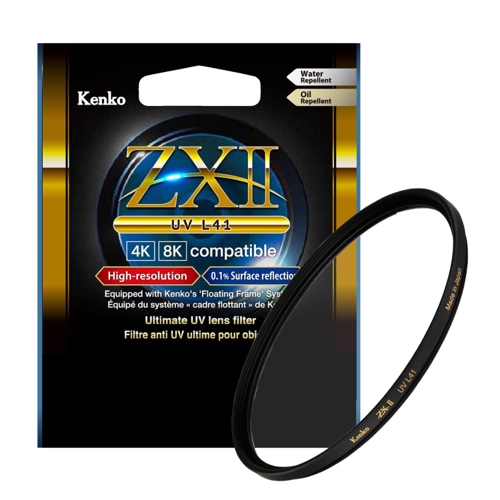
Kenko ZXII UV L41 Camera Lens Filter - 55 mm

Best current price£55.06from OnBuy.com
Best offers
Shopping.co.uk recommended and popular offers
 OnBuy.com£55.06Visit shop
 (49 Mm) Kenko Zxii Uv L41 Camera Lens Filter 4961607518120
Visit shopBest current price£55.06from OnBuy.com
Shopping.co.uk recommended and popular offers
OnBuy.com£55.06Visit shop (49 Mm) Kenko Zxii Uv L41 Camera Lens Filter 4961607518120
Visit shop6 offers from £55.06 - £103.68
View price history by clicking the chart icon.
The Kenko ZXII UV L41 Camera Lens Filter is designed for photographers seeking ultimate lens protection and superior image quality. Its key benefit is providing robust protection while maintaining ultra-high resolution with minimal reflection. A potential consideration is its specialized UV blocking, which may not be necessary for all shooting conditions. This filter features advanced coating technology, a black-rimmed design to prevent internal reflections, and an ultra-thin frame to avoid vignetting. It's ideal for safeguarding your lens from dust, scratches, and UV damage.
| Brand | Kenko |
|---|
The primary purpose is to protect your camera lens from physical damage such as scratches and dust, while also cutting UV rays to improve image clarity and reduce haze.
The ZR01 coating provides ultra-high resolution by minimizing surface reflections to just 0.1%, which significantly reduces flare and ghosting for clearer, sharper images.
Yes, the filter features an ultra-thin frame designed to reduce or eliminate vignetting, making it suitable for use with most wide-angle lenses.
This filter is designed to be optically neutral regarding autofocus and exposure. Its primary function is protection and UV light filtering.
Clean using a soft lens brush for dust and a microfiber cloth with a specialized lens cleaning solution for smudges. Avoid abrasive materials and apply cleaner to the cloth, not the filter.
The 'Floating Frame' system integrates the glass within the frame to enhance durability and performance, offering better protection against impacts.
The black rim minimizes internal reflections within the filter itself, contributing to higher contrast and preventing light scatter that can degrade image quality.
Ensure you have selected the correct filter size. Double-check that the lens threads and filter threads are clean and free of debris. Try gently aligning the filter before screwing it in.
While the frame is ultra-thin, extreme wide-angle lenses may still show some vignetting. Try to reduce the focal length if possible or consider if a slightly smaller filter size might be compatible if your lens allows for step-up rings.
Ensure the filter is clean. Smudges or dust can affect image quality. If the issue persists, verify that the filter is properly seated and that no other filters are stacked in a way that causes interference.
Use the knurled edge for a secure grip. If it's stuck, try gently wiggling it while unscrewing. Avoid using excessive force. A rubber grip enhancer can sometimes help.
Setup:
Compatibility:
The Kenko ZXII UV L41 filter is compatible with any camera lens that has a corresponding filter thread size. It is available in various common sizes (e.g., 49mm, 52mm, 55mm, 58mm, 62mm, 67mm, 72mm, 77mm, 82mm) to fit a wide range of photographic equipment.
Care: