
Nebula by Anker soundcore P1i Smart LED Projector - Black
Best current price£284.00from Currys
Best offers
Shopping.co.uk recommended and popular offers
 Currys£284.00Visit shop
 Nebula P1i Smart Full Hd Portable Projector, Silver/Grey
Visit shopBest current price£284.00from Currys
Shopping.co.uk recommended and popular offers
Currys£284.00Visit shop Nebula P1i Smart Full Hd Portable Projector, Silver/Grey
Visit shop7 offers from £284.00 - £387.55
View price history by clicking the chart icon.


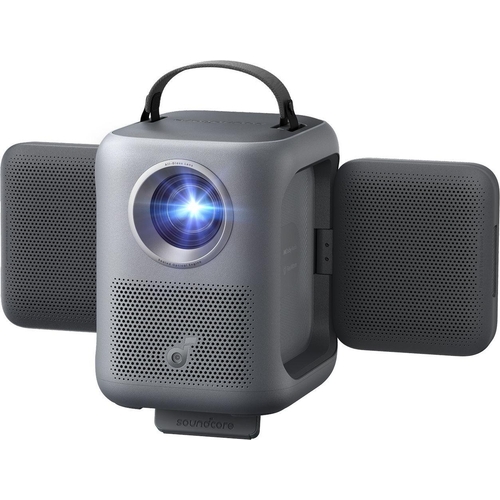
The Nebula by Anker soundcore P1i Smart LED Projector is designed for users seeking a versatile and adaptive viewing experience in any space. Its key benefit lies in its unique, flippable speakers and effortless setup, allowing you to project a bright, clear 1080p image and immersive sound anywhere. A potential caveat is that its 380 ANSI lumens might be best suited for environments with controlled lighting.
| Colour | Black |
|---|---|
| Series | Nebula P1i |
| Model Part Number | X1EKW |
| Brand | Anker NEBULA |
The dual speakers can be manually rotated. Rotate them 90° sideways and up to 200° up/down to direct sound where you need it.
The Nebula P1i projects in a sharp 1080p Full HD resolution.
While it has a compact design, the product information does not specify a built-in battery, suggesting it requires a constant power connection for operation.
It features TÜV-certified 380 ANSI lumens, which provides good brightness for viewing in environments with controlled lighting.
Yes, you can connect external devices via the HDMI port for a larger screen experience.
Specific warranty details are not provided in the product information. Please refer to the Anker/Nebula official website or your purchase receipt for warranty information.
The provided product information does not mention support for 3D content.
Ensure the power adapter is securely connected to both the projector and a working electrical outlet. Check if the power indicator light is on.
Initiate the Smart Instant Setup process again through the projector's menu. Ensure the lens is clean and free from smudges. Check if the projector is placed on a stable surface.
Check the volume settings on the projector and within the streaming app. Ensure the speakers are not muted. Verify that the audio source is correctly configured in the settings.
Verify your Wi-Fi network name and password are correct. Restart your router and the projector. Ensure the projector is within range of your Wi-Fi signal.
Ensure the projector's firmware and streaming apps are up to date. Try clearing the cache for the specific app. Restart the projector.
Setup:
Compatibility:
Care:
 Peak Design Camera Clip V3 - BlackFrom £69
 SmallRig Vibe P96 Pro Mini LED Video Light - SmallRigFrom £26
 Soundcore Motion Boom Outdoor Speaker - BlackFrom £80
 TCL Smart Projector C1 - C10L3F-3ALCGB11From £194
 Yaber T2 Plus Portable Projector - CreamFrom £399
 Groov-e Original Boombox Portable CD Player with Radio - BlackFrom £33
 Xiaomi Smart Projector L1 - BlackFrom £170
 Acer Essential X1123HP DLP projector - Black - Essential XFrom £300
 Nebula X1 Projector - BlackFrom £1492
 Draper Industrial Dehumidifier - 900W - 50LFrom £464
 YABER T2 - T2 Plus GTVFrom £279
 Trek Flare RT Rear Bike Light - BlackFrom £36