
Jabra Evolve 40 - Black - Evolve

Best current price£79.99from eBay
Best offers
Shopping.co.uk recommended and popular offers
 eBay£79.99Visit shop
 Jabra Evolve 40 Stereo Black Headband Corded Headset
Visit shopBest current price£79.99from eBay
Shopping.co.uk recommended and popular offers
eBay£79.99Visit shop Jabra Evolve 40 Stereo Black Headband Corded Headset
Visit shop21 offers from £79.99 - £358.00
View price history by clicking the chart icon.

6 offers from £12.00 - £39.99
View price history by clicking the chart icon.
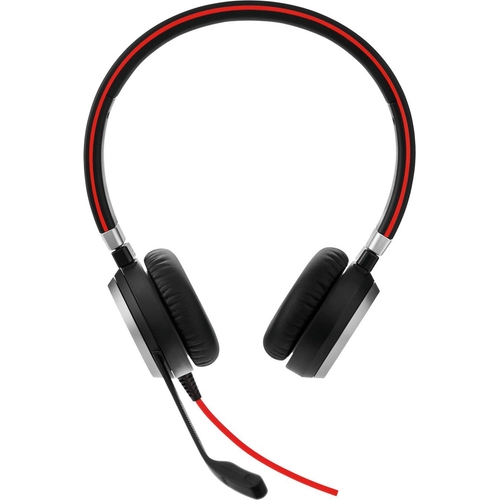
The Jabra Evolve 40 is a binaural, wired headset designed for professionals in office or call center environments, offering superior audio quality and comfort. It enhances productivity by minimizing distractions and providing clear communication. Note that while it connects to multiple devices, it's primarily designed for use in a stationary setting. Key features include a noise-canceling microphone, comfortable design with leatherette ear cushions, and inline controls for call management. It offers flexible connectivity via USB-A and 3.5mm jack.
| Colour | Black |
|---|---|
| Series | Evolve |
| Model Part Number | 6399-823-109 |
| Brand | Jabra |
Use the inline controls on the headset to answer or end calls. Look for the button with the phone icon.
Yes, you can connect the headset to your smartphone using the 3.5mm jack.
The busylight indicates when you are on a call, preventing colleagues from interrupting you.
The Jabra Evolve 40 is compatible with most UC platforms, however, it's not specifically optimized for Microsoft Teams.
Use the volume up and down buttons located on the inline control unit.
The warranty period for the Jabra Evolve 40 is typically two years, but please refer to the product documentation or contact Jabra support for details.
Ensure the USB cable is securely connected. Try a different USB port. Restart your computer. Check your audio device settings to make sure the Jabra Evolve 40 is selected as the default device.
Make sure the microphone is not muted via the inline controls. Check the microphone settings in your software or operating system to ensure the correct device is selected. Test the microphone with a different application.
Adjust the volume levels on the headset and your device. Make sure the headset is properly connected. Check for any physical obstructions or damage to the headset or the cable.
Ensure that the feature is enabled in the software you are using. Check the settings within your UC platform to confirm that the busylight is activated.
The Jabra Evolve 40 is compatible with:
