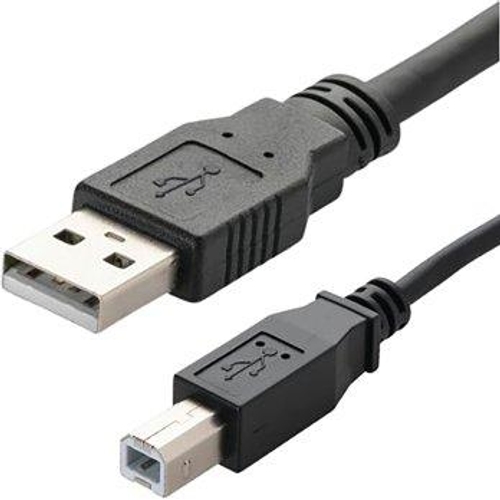
Connekt Gear USB Cable A Male to B Male - 2M - Pack of 2
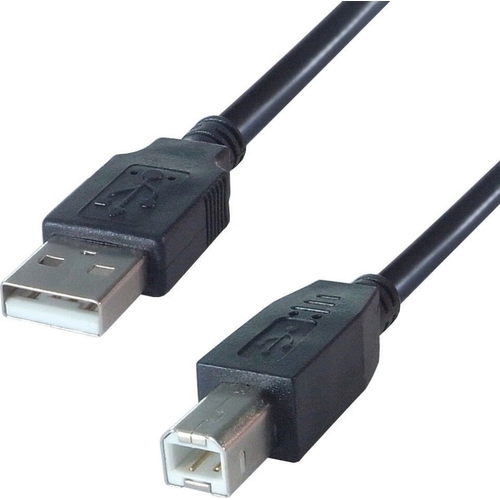
This high quality USB cable provides a reliable connection between your PC and peripherals such as...

Best current price£1.48from UK Office Direct

All Offers

5 offers from £1.48 - £8.28

View price history by clicking the chart icon.

UK Office DirectConnekt Gear 2M Usb Cable A Male To B Male (2 Pack)
£2.99 delivery
£1.48
Visit shop
Office StationeryConnekt Gear connektgear 2m USB Cable A Male to B Male Pack of 2
£7.19 delivery
£2.02
Visit shop
OnBuy.comConnekt Gear 2M Usb Cable A Male To B Male Pack Of 2 26-2900/2 Gr02512 5035624025127
Free delivery in 1–3 days
£4.57
Visit shop
B&QB&Q - Connekt Gear 2M Usb 2 Connector Cable A Male To B MaleHigh SpeedPack Of 2
Free delivery in 1–3 days
£8.28
Visit shop

Product Information

Full details

The Connekt Gear USB A to B cable is designed for users needing a reliable, high-speed connection between PCs and peripheral devices like printers, scanners, or external hard drives. Offering broad compatibility with USB 1.0, 1.1, and 2.0 standards, this 2-meter cable is an excellent utility pack for home or office setups, though its standard USB 2.0 speed limit may be insufficient for high-bandwidth modern storage devices compared to USB 3.0 or higher.

All features

Model Part Number26-2900/2
BrandConnekt Gear

Extended Product Information

FAQs

Does this cable support power delivery?

Yes, it supports standard USB power delivery for peripherals, but it is not intended for fast-charging modern mobile devices.

Is this cable compatible with USB 3.0 ports?

Yes, it is backward compatible with USB 3.0 ports, but the transfer speeds will be limited to USB 2.0 (480Mbps) specifications.

Can I use this for external hard drives?

Yes, it works with external drives that utilize a USB B connector, provided the drive does not exceed the power and bandwidth limits of USB 2.0.

What is the length of the cables included?

The pack contains two cables, each measuring 2 meters in length.

Is this cable shielded?

It features a durable PVC jacket that provides standard protection and insulation for the internal wires.

Troubleshooting

Device is not recognized by the computer

Disconnect and reconnect both ends, ensuring the connectors are firmly seated in the ports. Try a different USB port on your computer.

Intermittent connection drops during printing

Ensure the cable is not bent at a sharp angle near the connector. Check for physical debris in the printer's USB port.

Pros and Cons

Pros

  • Convenient 2-pack configuration
  • Robust strain relief for longevity
  • Plug-and-play functionality
  • Wide compatibility across USB generations

Cons

  • Limited to USB 2.0 speeds (480Mbps)
  • Not suitable for USB 3.0 high-speed data requirements
  • Fixed 2-meter length may not suit all desk layouts

Setup, Compatibility & Care

Setting up the cable is straightforward due to its native Plug and Play support; simply insert the USB A end into your host computer and the USB B end into your peripheral device. No additional drivers are required for operation. To ensure the longevity of your cables, avoid placing heavy furniture on top of the cord, as this can crush the internal wiring over time. When disconnecting, always pull by the connector housing rather than the cable itself to preserve the integrity of the internal connections. Store in a cool, dry place when not in use to keep the PVC jacket supple.

Price History

DatePrice
Visit shop