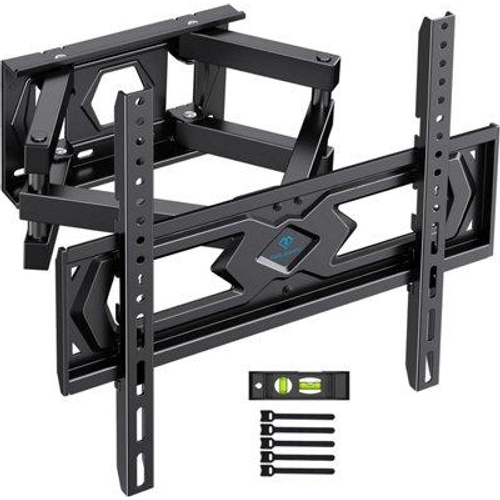
PERLESMITH TV Wall Bracket - Swivel Tilt Mount - For 26-70 Inch Flat & Curved TVs - Max VESA 400 x 400mm

PERLESMITH TV Wall Bracket, Swivel Tilt Mount for 26-70 Inch Flat & Curved TVs up to 45 kg, Max. V...

Best current price£26.99from eBay

All Offers

5 offers from £26.99 - £30.66

View price history by clicking the chart icon.

eBayTV Wall Bracket Mount Swivel Tilt for 26-70 Inch Flat & Curved TVs up to 45kg,
Free delivery in 1–3 days
£26.99
Visit shop
OnBuy.comTv Wall Bracket, Swivel Tilt Wall Mount For 26-65 Inch Flat & Curved Tv Up To 45Kg, Bracket Max. Vesa 400X400mm 736900377064
Free delivery in 1–3 days
£27.11
Visit shop

Product Information

Full details

This PERLESMITH TV Wall Bracket is designed for users with 26-70 inch flat and curved televisions who want a secure, adjustable, and space-saving mounting solution. Its key benefit is providing a wide range of motion for optimal viewing angles while keeping the TV close to the wall for a clean look. A caveat to be aware of is its specific wall mounting requirements; it's not suitable for all wall types.

All features

BrandPERLESMITH

Extended Product Information

FAQs

What VESA sizes does this mount support?

This mount supports VESA dimensions including 100x100, 100x200, 200x100, 200x200, 200x300, 200x400, 300x200, 300x300, 300x400, 400x200, 400x300, and 400x400mm.

Can I mount this on a plasterboard wall?

No, this mount is designed for solid concrete walls, brick walls, or solid wood stud walls. It is not suitable for plasterboard, drywall, cavity walls, or soft walls alone.

What is the maximum weight capacity?

The maximum weight capacity for this TV wall bracket is 45 kg (99 lbs).

How far does the TV extend from the wall?

The mount extends from a minimum of 87mm (3.4 inches) to a maximum of 403mm (15.9 inches) from the wall.

Does it come with all the necessary hardware?

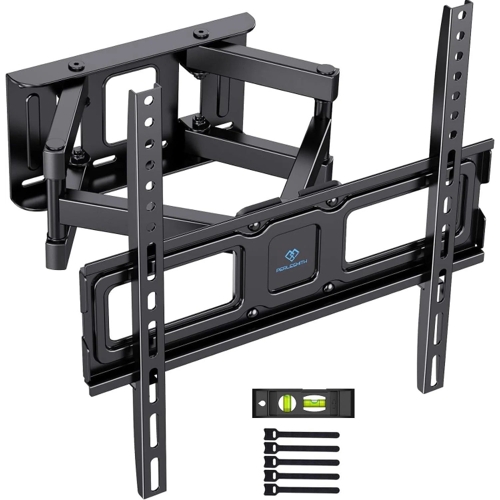
Yes, the mount includes a wall template, spirit level, standard assembly materials, and 5 cable ties for installation.

Can I adjust the TV after mounting?

Yes, you can tilt the TV 10° upwards / -15° downwards, swivel it 45° left and right, and rotate it +/- 3° after installation for optimal viewing.

What should I do if I can't find the correct screws for my TV?

The mount comes with various screw sizes. If none fit, you may need to purchase specific screws compatible with your TV model from a local hardware store.

Troubleshooting

TV mount feels loose on the wall

Ensure the lag bolts are screwed securely into a solid wood stud, concrete, or brick. Check that the wall plate is firmly attached to the wall.

TV won't tilt or swivel smoothly

Check if the bolts responsible for tensioning the tilt and swivel mechanisms are too tight. Loosen them slightly according to the manual. Ensure no cables are obstructing movement.

Missing hardware

Double-check all packaging materials. Contact PERLESMITH customer support with a list of missing items.

TV appears crooked

Adjust the rotation setting (if applicable) or ensure the TV brackets are evenly attached to the TV and the wall plate is level during installation.

Pros and Cons

Pros

  • Accommodates a wide range of TV sizes and weights.
  • Offers significant adjustability for optimal viewing.
  • Durable construction ensures TV safety.
  • Slim profile when retracted saves space.
  • Includes necessary hardware and helpful tools for installation.

Cons

  • Requires specific wall types (solid concrete, brick, solid wood stud).
  • Not suitable for drywall, plasterboard, or cavity walls without proper reinforcement.
  • Maximum weight capacity must be strictly adhered to.

Setup, Compatibility & Care

Compatibility Check: Before installation, verify your TV's VESA pattern (the distance between mounting holes on the back of the TV), weight (must not exceed 45 kg), and screen size (26-70 inches). Ensure your wall is suitable for mounting: solid concrete, brick walls, or solid wood stud walls. Do not install on plasterboard, drywall, cavity walls, or soft walls without appropriate structural support and mounting hardware.

Installation Steps:

  1. Use the provided wall template and spirit level to mark mounting hole positions on the wall.
  2. Secure the wall plate to the wall using the appropriate screws (provided for solid walls).
  3. Attach the TV brackets to the back of your TV using the correct screw size (various sizes provided).
  4. Lift the TV and hook the brackets onto the wall plate, ensuring they lock securely.
  5. Adjust tilt, swivel, and rotation as desired.
  6. Use the included cable ties to manage cords for a clean look.

Care: Periodically check that all screws are tightened and that the mount remains secure. Clean with a soft, dry cloth. Avoid harsh chemicals.

Price History

DatePrice
Visit shop