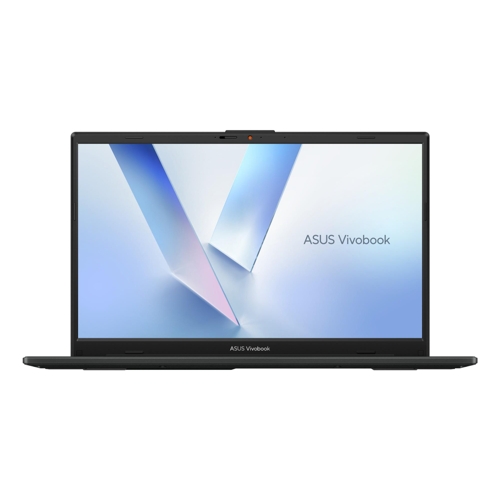
Asus Vivobook Go 14 - 14 - 8 GB - 128 GB - Full HD - Windows - Black

The Asus Vivobook Go 14 is a light and compact laptop designed to keep you productive and entertai...

Best current price£259.00from very.co.uk

All Offers

3 offers from £259.00 - £343.00

View price history by clicking the chart icon.

very.co.ukAsus Vivobook Go 14 Laptop - Intel N150 - 8Gb Ram - 128Gb Ssd - 14In Fhd - Black - Laptop + Microsoft 365 Personal 1 Year
£3.99 delivery
£259.00
Visit shop

Product Information

Full details

The Asus Vivobook Go 14 is an ideal portable laptop for students and home users who need a reliable, lightweight device for daily document processing and web-based tasks. It excels in portability and comfortable typing experiences, though its 128GB of internal storage is relatively limited, requiring cloud storage or external drives for large media libraries.

All features

ColourBlack
ResolutionFull HD
RAM8 GB
WiFi StandardWi-Fi 6E
Internal Storage Capacity128 GB
Screen Size14
Display TypeFull HD
OSWindows
SeriesVivobook Go 14
Model Part NumberX5K0U
BrandAsus

Extended Product Information

FAQs

Can I upgrade the storage on the Vivobook Go 14?

The internal storage is 128GB UFS. We recommend using cloud storage or an external USB drive for additional space as internal upgrades are limited.

Is the Vivobook Go 14 a touchscreen model?

No, this specific model features a standard Full HD IPS-level display without touchscreen functionality.

Does it support fast charging?

The device uses a 45W power adapter. It supports standard charging via the USB Type-C port, provided the charger meets the required power delivery specifications.

What audio technology is included?

It includes ASUS SonicMaster and DTS Audio Processing for enhanced sound quality and clarity.

Is there a numeric keypad?

While it does not have a traditional physical numeric keypad, it utilizes the ASUS NumberPad technology for easier data entry.

Troubleshooting

Laptop fails to power on

Ensure the AC adapter is securely connected to both the device and a working wall outlet. Check if the LED charging indicator is illuminated.

Wi-Fi connection is unstable

Verify that your router supports Wi-Fi 6/6E standards. Run the Windows Network Troubleshooter or restart your modem.

Webcam image is black

Check the physical privacy shutter on the top of the screen bezel. Slide it to the open position to reveal the camera lens.

Pros and Cons

Pros

  • Extremely lightweight and travel-friendly
  • High-speed Wi-Fi 6E connectivity
  • Physical privacy shutter for the webcam
  • 180-degree lay-flat hinge design
  • TÜV Rheinland certified eye-care display

Cons

  • Limited 128GB internal storage capacity
  • Not suitable for high-end gaming or video editing
  • Fixed 8GB RAM cannot be upgraded

Setup, Compatibility & Care

Setting up the Vivobook Go 14 is straightforward thanks to the pre-installed Windows 11 Home OS. During initial setup, follow the on-screen prompts to connect to your Wi-Fi 6E network and sign in to your Microsoft account.

Care Instructions:

  • Cleaning: Wipe the screen and keyboard gently with a soft, lint-free microfiber cloth. Avoid using harsh chemicals or abrasive cleaners.
  • Storage: When carrying the device, use a protective sleeve to prevent scratches on the plastic housing.
  • Battery: To maintain battery health, avoid letting the device stay at 0% power for extended periods and use the original 45W AC adapter provided in the box.
  • Updates: Regularly check for Windows updates and driver updates via the MyASUS app to ensure optimal performance and security.

Similar items

Price History

DatePrice
Visit shop