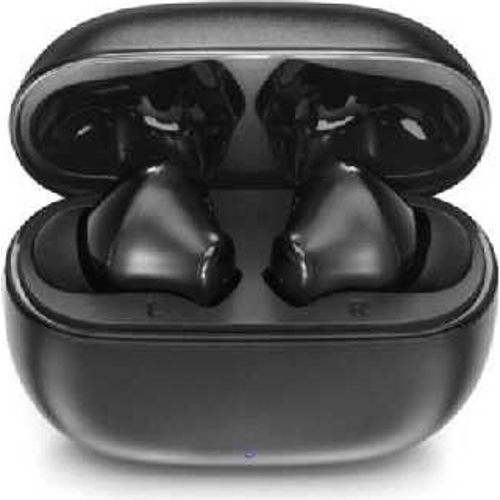
Motorola Moto Buds 125 True Wireless Earbuds - Black
Meet the MOTO BUDS 125 your ideal audio companion for a fast-paced life! With a sleek design and c...Meet the MOTO BUDS 125 your ideal audio companion for a fast-paced life! With a sleek design and compact charging case, enjoy up to 17 hours of playtime. Pair instantly with Fast Pair, make clear calls with dual mics and ENC, and control with a touch or voice command. IPX5 water-resistant, ready for any weather. Stay connected and vibe on the go! Dual mics with Environmental Noise Cancelling tech ensure crystal-clear calls anywhere. In a busy caf or on the street, you'll sound as if you're in a quiet room. Say goodbye to background noise and enjoy flawless conversations with the MOTO BUDS 125. The sleek, durable micro charging case is made for portability and fits right in your pocket. Get up to 12 hours of playtime and recharge quickly with a USB-C cable. Perfect for your on-the-go lifestyle! Ergonomically designed earbuds come with three sizes of rubber ear caps for the perfect fit. Each earbud has a built-in mic, so you can use them solo as a mono headset. Perfect fit, perfect sound, all day long! These IPX5 waterproof and sweatproof earbuds let you move freely without worry. Rain or shine, use them anywhere and keep the music going strong, no matter the weather! Super lightweight for ultimate comfort, these earbuds come with a compact, portable charging case. Easy to carry anywhere, it keeps you powered up no matter where life takes you. Perfect for on-the-go adventures!
The Motorola Moto Buds 125 are true wireless earbuds designed for those who need reliable audio on the go. Offering up to 17 hours of playtime, instant pairing, and clear call quality, they're ideal for a fast-paced lifestyle. However, they are not designed for audiophiles seeking the highest possible sound fidelity.
All features
Colour
Black
Series
Moto Buds
Brand
Motorola
Extended Product Information
FAQs
How do I pair the Moto Buds 125 with my device?
Open the charging case near your device and follow the on-screen instructions to connect via Bluetooth.
How long does it take to charge the earbuds and the case?
The earbuds typically charge fully within an hour, and the charging case takes about 1.5 hours to charge.
How do I control music playback?
Use the touch controls on the earbuds to play/pause, skip tracks, and adjust the volume.
Are the Moto Buds 125 waterproof?
They are IPX5 water-resistant, making them suitable for workouts and use in light rain.
Can I use each earbud independently?
Yes, each earbud can be used as a mono headset.
What is the battery life of the Moto Buds 125?
You can get up to 5 hours of playtime on a single charge, and the charging case provides an additional 12 hours, for a total of 17 hours.
What kind of charging cable do they use?
They use a USB-C charging cable.
Troubleshooting
Earbuds won't turn on.
Ensure the earbuds are charged by placing them in the charging case. If they still don't turn on, try resetting them (check the user manual).
Poor call quality.
Make sure there are no obstructions covering the microphones. Try adjusting the earbud position or moving to a less noisy environment.
Earbuds won't connect via Bluetooth.
Ensure Bluetooth is enabled on your device and that the earbuds are in pairing mode (usually by opening the charging case). If the issue persists, unpair and re-pair the earbuds.
One earbud not working.
Make sure both earbuds are charged and properly seated in the charging case. Try resetting the earbuds (check the user manual).
Charging case not charging.
Ensure the USB-C cable is connected properly and that the power source is working. Clean the charging port on the case.
Pros and Cons
Pros
Long battery life with up to 17 hours of playtime.
Excellent call quality with dual mics and ENC.
Water-resistant design for use in various conditions.
Comfortable fit with multiple ear tip sizes.
Compact and portable charging case.
Cons
Sound quality may not satisfy audiophiles.
Limited advanced features compared to higher-end models.
Charging case may be prone to scratches.
Setup, Compatibility & Care
Pairing: Open the charging case near your device to initiate pairing. Follow the on-screen prompts to connect via Bluetooth.
Charging: Use the provided USB-C cable to charge the case. The earbuds charge within the case.
Compatibility: Compatible with most Bluetooth-enabled devices, including smartphones, tablets, and laptops.
Care:
Clean the earbuds and charging case with a soft, dry cloth.
Avoid using harsh chemicals or abrasive materials.
Store the earbuds in the charging case when not in use.
Ensure the charging contacts on the earbuds and case are clean for optimal charging.



 Office Stationery£24.86Visit shop
