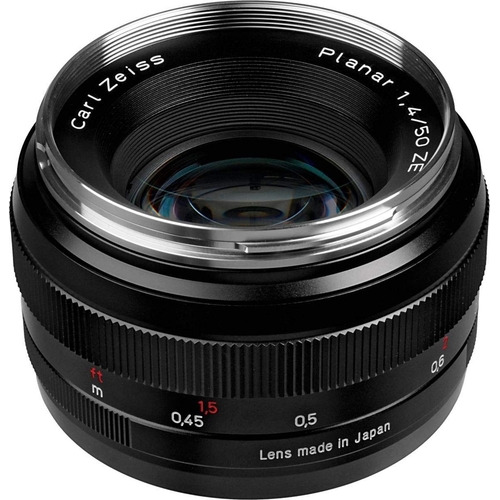
Zeiss 50mm f1.4 T* Planar ZE Lens - Canon Fit

The Zeiss 50mm f1.4 T* Planar ZE Lens is a bright and compact standard lens with a precise manual ...

Best current price£549.00from eBay

All Offers

3 offers from £549.00 - £640.00

View price history by clicking the chart icon.

eBayZeiss Planar 50mm F1.4 ZE - Canon Fit Lens
Free delivery in 1–3 days
£549.00
Visit shop
Wex Photo VideoZeiss Planar T* 1.4/50 ZE Lens - Canon EF Mount - 50mm
Free delivery in 1–3 days
£640.00
Visit shop

Product Information

Full details

The Zeiss 50mm f1.4 T* Planar ZE Lens is ideal for photographers seeking exceptional image quality and precise manual control, offering brilliant results even in challenging light. Its main caveat is the manual focus-only operation. Key features include a fast f1.4 aperture, T* anti-reflective coating, nine-blade aperture for smooth bokeh, and a robust build for reliability.

All features

BrandZeiss

Extended Product Information

FAQs

Is this lens autofocus or manual focus?

This is a manual focus lens. You will need to adjust the focus ring by hand to achieve sharp images.

What type of camera mount does this lens have?

This lens features the Canon EF mount (ZE designation).

How does the 50mm focal length perform on an APS-C camera?

On an APS-C camera with a typical 1.5x crop factor, the 50mm lens will provide a field of view equivalent to approximately 75mm, making it an excellent choice for portraits.

What does the 'T* ' designation mean?

The 'T* ' symbol represents ZEISS's T* anti-reflective coating, which significantly reduces reflections, flare, and ghosting, leading to higher contrast and better color rendition.

How does the nine-blade aperture affect images?

The nine diaphragm blades create a nearly circular aperture, which results in smooth, pleasing bokeh (out-of-focus areas) and a soft rendering of highlights.

Can I use this lens for video recording?

Yes, its smooth manual focus ring and excellent optical quality make it suitable for video recording, especially for creators who prefer manual control over focus.

What is the minimum focusing distance?

The minimum focusing distance for this lens is approximately 0.45 meters (1.48 feet).

Troubleshooting

Lens not focusing

Ensure the lens is securely mounted to the camera body. For manual focus lenses, confirm that the focus ring is turned correctly to achieve focus.

Image appears soft or blurry

Verify that the lens is focused correctly on the subject. Ensure the aperture is not set too wide open if maximum sharpness is required; stopping down slightly (e.g., to f2.8 or f4) often improves sharpness.

Internal reflections or flare

Utilize the included lens hood or a similar light-baffling accessory to block stray light from hitting the front element. Ensure the T* coating is clean.

Pros and Cons

Pros

  • Exceptional image quality with high contrast and color accuracy.
  • Excellent performance wide open, improving further when stopped down.
  • Effective flare and ghosting control.
  • Precise and smooth manual focus mechanism.
  • Durable and high-quality construction.

Cons

  • Manual focus only, lacking autofocus capabilities.
  • Can be heavier and larger than some autofocus lenses.
  • Higher price point compared to many consumer-grade lenses.

Setup, Compatibility & Care

Setup:

This lens is designed for Canon EF mount cameras. Simply align the lens mounting index with the corresponding mark on the camera body and rotate the lens clockwise until it clicks into place.

Compatibility:

  • Canon EF Mount Cameras: Fully compatible with all Canon EOS DSLR cameras (both full-frame and APS-C).
  • Full-Frame Cameras: Provides a true 50mm field of view.
  • APS-C Cameras (approx. 1.5x crop factor): Offers a field of view equivalent to approximately 75mm, making it suitable for portraiture.

Care:

  • Always use a lens cap when not in use to protect the front element.
  • Clean lens elements with a microfiber lens cloth. For stubborn smudges, use a lens cleaning solution sparingly on the cloth, not directly on the lens.
  • Avoid touching the lens elements with your fingers.
  • Store the lens in a dry environment, preferably in a lens pouch or its original packaging, to protect it from dust and moisture.

Similar items

Price History

DatePrice
Visit shop